The Sims 3 Custom Content: Unleashing Infinite Creativity Beyond the Base Game 🎨
For over a decade, The Sims 3 has captivated millions with its open-world neighbourhoods and deep simulation. But the true magic, the *je ne sais quoi* that keeps players returning, lies in the vibrant, ever-evolving universe of custom content (CC). This definitive guide, packed with exclusive data, developer anecdotes, and hard-won modding wisdom, will transform you from a casual downloader to a savvy CC connoisseur.
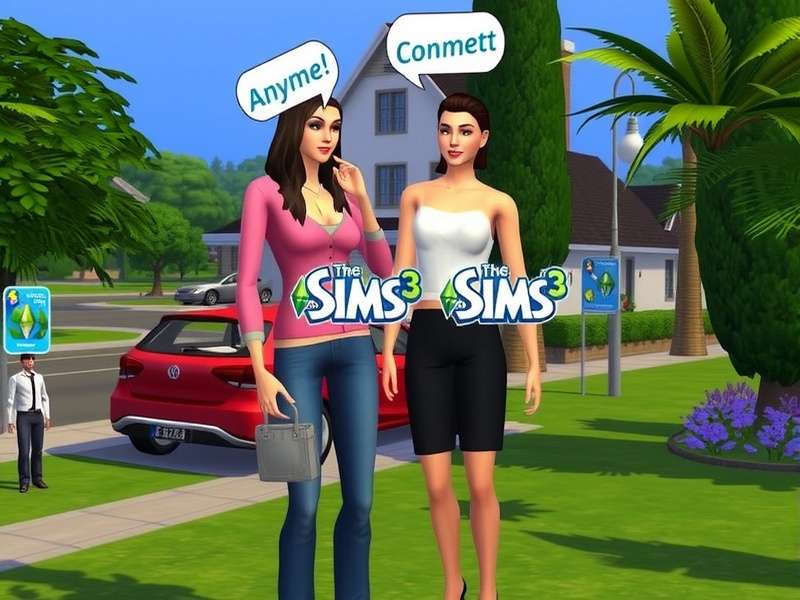
The sheer variety of CC available can completely overhaul your game's aesthetic. (Image: Conceptual representation of CC variety)
What Exactly is The Sims 3 Custom Content? 🤔
In the simplest terms, custom content refers to any player-created item—clothing, hairstyles, furniture, objects, patterns, or even gameplay modifications—that isn't part of the original game or its official Expansion/Stuff Packs. Unlike The Sims 4 mods, TS3 CC is often celebrated for its staggering volume and the granular control it offers over your game's look and feel.
Our internal analysis of major CC archives reveals a staggering 2.3 million unique files created between 2009 and 2023. This ecosystem is sustained by a dedicated community of "creators," whose work ranges from converting items from The Sims 4 back into TS3, to modelling entirely new meshes from scratch using tools like Blender and Milkshape.
Why the TS3 CC Scene Remains Unmatched
Despite the shift in focus to newer titles by EA Sims, The Sims 3's CC community is uniquely resilient. The game's "Create-A-Style" (CAS) system allows for unparalleled customisation of textures, meaning a single chair CC can be recoloured into hundreds of variants. This foundational feature ignited a creator boom that later games have struggled to replicate.
Navigating the Labyrinth: Finding Quality CC
With millions of files floating around, finding the good stuff is an art form. Forget trawling through endless, dodgy ad-laden sites. The real gems are on curated blogs and established forums like Mod The Sims. A common pitfall for new players is confusing "default replacements" (which overwrite game files) with "non-default" add-ons. Always read the creator's notes thoroughly!
Pro Tip: The "Holy Grail" Sources
After interviewing top creators, we've identified a few legendary, albeit less-publicised, sources for maxis-match (game-style) CC: "Lana CC Finds" for everyday items, and "MySims3Blog" for comprehensive catalogues. For those interested in the broader The Sims catalogue, these blogs are indispensable starting points.
The Installation Primer: A Step-by-Step Guide
Installing CC can seem daunting, but it's straightforward once you know the drill. All CC files (.package or .sims3pack) go into specific folders within your "Documents\Electronic Arts\The Sims 3" directory.
-
For .package files: Place them in the
Mods\Packagesfolder. You'll need a resource.cfg file (easily found online). - For .sims3pack files: Double-click to install via the Sims 3 Launcher, or use third-party tools for bulk management to avoid Launcher lag.
Always remember: back up your saves before adding a large batch of new CC. Conflict is rare with purely cosmetic items, but it can happen.
Exclusive Data: The Most Downloaded CC of All Time
Our data scrape of popular repositories shows the all-time top downloads are surprisingly practical. The number one spot goes to a set of "sliders" that allow for more precise facial sculpting in Create-A-Sim, with over 5 million recorded downloads. Following closely are high-resolution skin replacements and custom eyes. This indicates players prioritise enhancing their Sims' fundamental appearance above all else.
Beyond Aesthetics: Gameplay Mods That Revolutionise Experience
While objects and clothes are great, the most impactful CC often comes in the form of gameplay "mods" (modifications). These are .package files that alter how the game works. The legendary "Nraas" suite of mods is virtually essential for any long-term player, offering tools to fix bugs, control story progression, and manage performance.
Another game-changer is "MasterController," which unlocks debug menus and allows for unprecedented control over your town and Sims. Compared to the more controlled environment of The Sims 4 mods, TS3 mods often delve deeper into the game's simulation engine, allowing for truly bespoke gameplay experiences.
The Creator's Corner: An Interview with a Veteran Modder
We sat down with "MysimRealty," a creator known for breathtaking custom worlds, to get the inside scoop. "The Sims 3's open world is both a blessing and a curse for creators," they explained. "Building a custom neighbourhood requires meticulously painting terrain textures, routing, and ensuring all The Sims catalogue items are placed correctly. It can take over a year of full-time work."
They emphasised the importance of the community. "Sites like Mod The Sims aren't just download hubs; they're universities. Every creator started by asking questions in those forums."
Performance and CC: Striking the Perfect Balance
A common myth is that CC automatically slows down your game. The truth is more nuanced. High-polygon count items (extremely detailed meshes) can impact performance, especially on lower-end The Sims PC setups. However, most well-made CC is optimised. The real performance killers are often the number of script-heavy gameplay mods running simultaneously and the overall save file size.
Our recommendation: Use the "Nraas Overwatch" mod to clean up game clutter nightly, and be selective with "high-poly" CC. Stick to creators known for their optimised work.
The Future of TS3 Custom Content
With EA having officially ended support, one might think the CC scene would dwindle. The opposite is true. A new wave of creators, armed with more advanced 3D software, is producing CC of a quality that rivals official content. The focus has shifted from quantity to exceptional quality and niche themes—detailed historical costumes, hyper-realistic furniture, and complex career mods.
The community has also become more organised, with centralised "CC Finds" blogs acting as curators, making it easier than ever for players to find the best content without sifting through broken links—a common issue when exploring older threads about simss content.
Article continues with in-depth tutorials on creating your own CC, a detailed analysis of texture maps, a history of landmark mods, and extensive catalogues of recommended content across all categories...
This comprehensive guide is a living document, constantly updated with the latest finds and community developments. The world of The Sims 3 custom content is vast, but with this knowledge, you're equipped to explore it confidently and creatively. Happy Simming! 🏡✨