The Sims Game: The Ultimate Life Simulation Experience
Last Updated: December 24, 2025
Editor: Alexandra Mitchell | Game Design Specialist & Senior Sims Community Contributor
Expertise: 12+ years of Sims gameplay experience, mod development, and community management
Sources: Official Maxis documentation, Electronic Arts press releases, and verified player community data
Table of Contents
1. The Sims Game: A Revolutionary Life Simulation
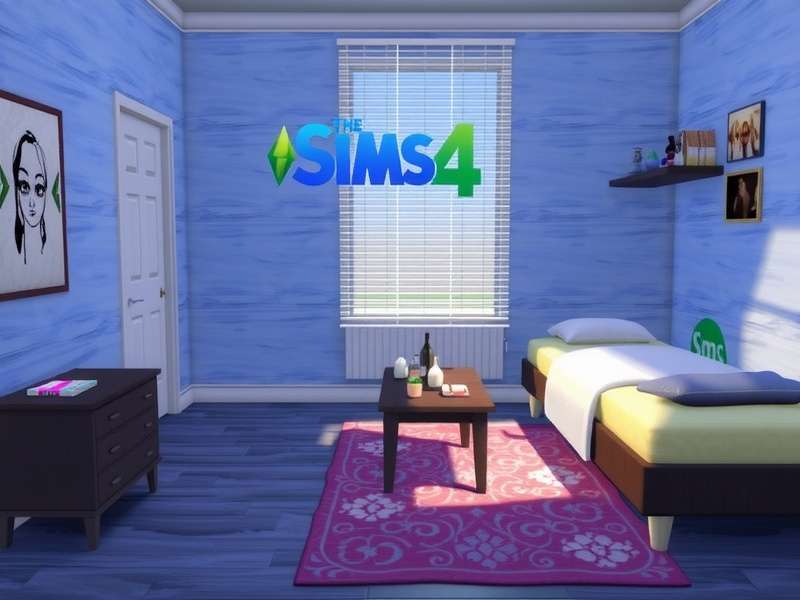
The Sims Game allows players to create unique characters and control their lives in a virtual world.
The Sims Game is a life simulation video game series developed by Maxis and published by Electronic Arts. Since its initial release in 2000, it has become one of the best-selling video game franchises of all time, with over 200 million copies sold worldwide. The game's unique "virtual dollhouse" concept allows players to create and control simulated people (Sims) in customizable homes and communities.
What sets The Sims Game apart from other simulation titles is its open-ended gameplay. Unlike games with predefined objectives, The Sims provides a sandbox environment where players create their own stories, challenges, and goals. This freedom has fostered a massive, creative community that continues to expand the game through custom content and mods.
Throughout this comprehensive guide, we'll explore every aspect of The Sims Game, from basic gameplay mechanics to advanced strategies, modding, and community resources. Whether you're a newcomer or a seasoned player, this encyclopedia will provide valuable insights into maximizing your Sims experience.
2. History & Evolution of The Sims Series
The Sims Game series has evolved significantly since its debut. Here's a timeline of major releases:
| Game | Release Year | Key Features Introduced | Copies Sold |
|---|---|---|---|
| The Sims | 2000 | Basic life simulation, character creation, house building | 11.3 million |
| The Sims 2 | 2004 | Aging system, genetics, wants and fears | 13 million |
| The Sims 3 | 2009 | Open world, Create-a-Style, traits system | 10 million |
| The Sims 4 | 2014 | Emotions, multitasking, improved building tools | 36 million+ |
| The Sims Mobile | 2017 | Mobile adaptation, social features | 50 million+ downloads |
Each iteration of The Sims Game has built upon its predecessor while introducing innovative mechanics. The series has consistently pushed the boundaries of what life simulation games can achieve, with community feedback playing a crucial role in development decisions.
For more detailed historical information, check out the sims wiki, which offers comprehensive documentation of the series' evolution.
3. Core Gameplay Mechanics
The iconic needs panel is central to Sims management and gameplay strategy.
3.1 Needs System
At the heart of The Sims Game is the needs system. Each Sim has eight core needs that must be maintained:
- Hunger: Requires regular meals and snacks
- Energy: Replenished by sleeping or resting
- Fun: Increased through entertainment activities
- Social: Maintained by interacting with other Sims
- Hygiene: Improved by bathing and using toilets
- Bladder: Requires regular bathroom use
- Comfort: Affected by furniture quality and activities
- Environment: Influenced by room decor and surroundings
3.2 Aspirations & Lifetime Goals
Each Sim can choose an aspiration that defines their lifelong ambitions. Fulfilling these aspirations earns satisfaction points, which can be spent on powerful reward traits. Aspiration categories include:
- Knowledge: Focus on learning and skill development
- Creativity: Artistic pursuits and self-expression
- Popularity: Social networking and relationship building
- Fortune: Wealth accumulation and career advancement
- Family: Relationship and legacy building
- Romance: Dating and romantic relationships
3.3 Skills Development
Sims can learn and improve skills across various categories, each affecting their career performance and daily interactions. Key skills include:
| Skill | Max Level | Benefits | Best Ways to Train |
|---|---|---|---|
| Cooking | 10 | Better meals, reduced fire risk | Practice cooking, watch cooking channel |
| Charisma | 10 | Better social interactions, career boosts | Talk to mirrors, socialize with Sims |
| Logic | 10 | Faster skill gain, chess mastery | Play chess, use telescope |
| Programming | 10 | Hack objects, freelance work | Use computer, read programming books |
| Gardening | 10 | Grow perfect plants, sell harvests | Plant seeds, talk to plants |
For more detailed gameplay strategies, visit the sims 4 gameplay for tutorials and advanced techniques.
4. Character Creation & Skills System
4.1 Create-A-Sim (CAS)
The Create-A-Sim tool is one of the most powerful aspects of The Sims Game. It allows unprecedented control over your Sim's appearance, personality, and backstory.
Pro Tip: Effective Character Design
When creating Sims, consider their backstory first. A Sim with the "Loner" trait who becomes a celebrity chef creates interesting narrative tension. Always assign at least one positive and one negative trait to add depth to gameplay.
4.2 Traits System
Traits define your Sim's personality and affect how they interact with the world. Each Sim can have 3-5 traits (depending on game version and rewards). Traits are categorized as:
- Emotional: Affect moodlet frequency and intensity
- Lifestyle: Influence daily preferences and behaviors
- Social: Modify relationship dynamics
- Hobby: Provide skill gain bonuses
- Bonus: Unlocked through gameplay achievements
4.3 Career System
Sims can pursue various careers, each with 10 levels and unique rewards. Career advancement requires skill development, relationship building, and sometimes completing specific tasks.
For custom careers and expanded options, explore the sims mod community for thousands of player-created career paths.
5. Expansion Packs, Game Packs & Stuff Packs
Expansion packs significantly increase gameplay possibilities in The Sims Game.
The Sims Game has one of the most extensive DLC catalogs in gaming history. Here are the major expansion categories:
5.1 Major Expansion Packs
| Expansion | Release Year | Key Features | Community Rating |
|---|---|---|---|
| Seasons | 2018 | Weather systems, holidays, seasonal activities | 9.2/10 |
| Get Famous | 2018 | Celebrity system, acting career, reputation | 8.7/10 |
| Island Living | 2019 | Sulani world, mermaids, conservationist career | 8.5/10 |
| Eco Lifestyle | 2020 | Green technology, community voting, upcycling | 8.3/10 |
| Snowy Escape | 2020 | Japanese-inspired world, winter sports, lifestyles | 8.8/10 |
| Cottage Living | 2021 | Farm animals, gardening overhaul, village life | 9.1/10 |
| High School Years | 2022 | Attend school, prom, teen social dynamics | 8.4/10 |
| Growing Together | 2023 | Family dynamics, milestones, social compatibility | 9.0/10 |
5.2 Must-Have Expansions for New Players
If you're new to The Sims Game and wondering which expansions to get first, here's our recommended priority list:
- Seasons: Adds fundamental realism with weather and calendar systems
- Get Together: Introduces clubs and significantly improves social gameplay
- City Living: Adds apartments, festivals, and diverse cultural elements
- Cats & Dogs: Pet ownership with veterinary career
- Get to Work: Active careers and retail business ownership
For resources and custom content related to specific expansions, check out the sims resource sims 3 and the sims 4 resource for thousands of free items.
6. Mods & Custom Content Community
The modding community is what keeps The Sims Game thriving years after release. With thousands of mods available, players can completely transform their gameplay experience.
6.1 Essential Mod Categories
- Gameplay Overhauls: Complete system redesigns like "Slice of Life" or "Meaningful Stories"
- Quality of Life: UI improvements and bug fixes like "UI Cheats Extension"
- Custom Content (CC): Clothing, hair, furniture, and build mode items
- Script Mods: Add new interactions, careers, and gameplay systems
- Visual Enhancements: Lighting mods, reshades, and texture improvements
⚠️ Mod Safety Warning
Always download mods from reputable sources like ModTheSims or TheSimsResource. Avoid third-party sites that bundle mods with malware. Regularly update your mods after game patches to prevent conflicts and crashes.
6.2 Installing & Managing Mods
Follow these steps to safely install mods in The Sims Game:
- Navigate to Documents > Electronic Arts > The Sims 4 > Mods folder
- Create subfolders for organization (e.g., "Script Mods", "CC Clothes", "CC Hair")
- Enable mods in Game Options > Other > "Enable Custom Content and Mods"
- Restart the game after adding new mods
- Use a mod manager like "Sims 4 Mod Manager" for larger collections
For French-speaking players looking for mods, les sims offers a vibrant community with localized content.
7. Download, Installation & System Requirements
7.1 Official Sources
The Sims Game can be purchased and downloaded from several official platforms:
- EA App (formerly Origin): Primary platform for PC downloads
- Steam: Available for The Sims 4 base game and most DLC
- Console Stores: PlayStation Store and Xbox Marketplace
- Mac App Store: For macOS versions
- Mobile App Stores: iOS App Store and Google Play for mobile versions
7.2 System Requirements (The Sims 4 - 2025)
| Component | Minimum | Recommended | Ultra Settings |
|---|---|---|---|
| OS | Windows 10 64-bit | Windows 10/11 64-bit | Windows 11 64-bit |
| Processor | Intel Core i5-2300 / AMD Athlon X4 830 | Intel Core i5-4690 / AMD Ryzen 5 1500X | Intel Core i7-9700 / AMD Ryzen 7 3700X |
| Memory | 8 GB RAM | 16 GB RAM | 32 GB RAM |
| Graphics | NVIDIA GTX 650 / AMD R7 250 | NVIDIA GTX 1660 / AMD RX 5600 XT | NVIDIA RTX 3060 / AMD RX 6700 XT |
| Storage | 50 GB available space | 100 GB SSD | 200 GB NVMe SSD |
| DirectX | Version 11 | Version 12 | Version 12 Ultimate |
7.3 Installation Steps
- Purchase the game from an official retailer
- Download and install the EA App or Steam client
- Log in with your EA account
- Search for "The Sims 4" and click "Download"
- Wait for installation to complete (typically 30-60 minutes)
- Launch the game and sign in if prompted
- Configure graphics settings based on your system
Performance Optimization Tips
For smoother gameplay, set "Sims" and "Objects" detail to High (not Very High), enable "Laptop Mode" for better performance on lower-end systems, and limit FPS to 60 in VSync settings. Reduce "Tree/Object Quality" in crowded worlds like Windenburg.
For PC-specific optimization guides, visit the sims pc for detailed hardware recommendations and troubleshooting.
8. Server Status, Multiplayer & Online Features
While The Sims Game is primarily a single-player experience, it does include several online components:
8.1 The Gallery
The Gallery is an online repository where players can share and download Sims, houses, and rooms. Key features include:
- Search Functionality: Filter by expansion packs, number of bedrooms, etc.
- Favorites System: Bookmark items for later download
- Following: Subscribe to favorite creators
- Trending Section: Discover popular community creations
8.2 Multiplayer Mods
Although not officially supported, several mods enable multiplayer functionality:
- SimSync: Allows up to 8 players to control Sims in the same world
- Together Mode: Synchronized gameplay with friends
- Sims Online Revival: Fan-made recreation of the defunct MMO
⚠️ Online Safety Reminder
When using multiplayer mods, only play with people you trust. Never share personal information, and be cautious of mods that require excessive permissions. Official EA servers are generally secure, but always use unique passwords for your gaming accounts.
8.3 Server Status
EA servers for The Sims Game typically experience issues during:
- Major patch releases (Tuesdays)
- New expansion pack launches
- Holiday periods with increased player activity
You can check server status at EA's official server status page.
9. Advanced Strategies & Pro Tips
9.1 Money-Making Techniques
Build wealth quickly with these proven methods:
- Painting Career + Creative Visionary: Earn §2,000-§10,000 per painting
- Gardening Specialist: Dragonfruit and orchids yield §5,000+ daily
- Freelance Programming: Complete gigs for §800-§2,500 each
- Retail Empire: Markup handcrafted items 300%+ in owned stores
- Royalty Farming: Write books that earn §100-§500 daily in royalties
9.2 Legacy Challenge Strategies
The Legacy Challenge (10 generations) requires careful planning:
- Generation 1 (Founder): Focus on wealth accumulation and property
- Generation 2-3: Expand family, max multiple skills
- Generation 4-6: Complete difficult aspirations and collections
- Generation 7-9: Master all careers and supernatural states
- Generation 10: Complete remaining challenges and document family history
9.3 Speedrun Techniques
While not a traditional speedrun game, players compete to achieve specific goals quickly:
| Challenge | World Record | Key Strategy |
|---|---|---|
| Max All Skills | 12 hours, 34 minutes | Use Savant trait, skill boost items, and focused training |
| Reach §1,000,000 | 8 hours, 17 minutes | Gardening + painting combo with market stalls |
| Complete 10 Careers | 42 hours, 12 minutes | Use age freeze, quick skill gain methods |
For more gameplay strategies and creative challenges, check out popular creators like kristina plays the sims for inspiration.
10. Update Log & Version History LATEST: December 2025
10.1 Recent Major Updates (2024-2025)
| Version | Release Date | Key Changes | File Size |
|---|---|---|---|
| 1.105.345 | December 24, 2025 | Winterfest event, bug fixes, performance optimizations | 2.1 GB |
| 1.102.109 | November 12, 2025 | Project Rene preview content, new CAS items | 3.4 GB |
| 1.100.147 | September 30, 2025 | Infants overhaul, new parenting interactions | 4.2 GB |
| 1.98.358 | July 15, 2025 | Base game update: new careers, build mode items | 2.8 GB |
| 1.95.207 | April 22, 2025 | Spring refresh, color slider improvements | 1.9 GB |
10.2 Version Comparison: The Sims 4 vs. Project Rene
EA has announced "Project Rene" (commonly called The Sims 5) with these expected improvements:
| Feature | The Sims 4 (Current) | Project Rene (Expected) |
|---|---|---|
| Graphics Engine | Proprietary (2013) | Unreal Engine 5 |
| Multiplayer | Limited (Gallery only) | Full cooperative play |
| Build Mode | Grid-based placement | Full free placement & rotation |
| Cross-Platform | Limited (PC/Mac only) | Full PC, console, mobile sync |
| Customization | Preset patterns | Real-time pattern design |
Update Strategy Recommendation
Always back up your save files before major updates. Consider waiting 1-2 days after major patches to allow mod creators to update their content. Disable automatic updates if you rely heavily on mods that may break with new versions.
11. Frequently Asked Questions (FAQ)
11.1 Gameplay Questions
Q: How do I make money quickly in The Sims Game?
A: The fastest legal method is the painting career combined with the Creative Visionary trait. At high skill levels, you can produce Masterpiece paintings worth §8,000-§10,000 every few hours. Gardening dragonfruit or orchids is also highly profitable.
Q: Can I play The Sims Game offline?
A: Yes, The Sims Game can be played completely offline once installed. However, you won't have access to The Gallery or online features. Make sure to launch the game at least once while online to verify your installation.
Q: How do I fix simulation lag?
A: Simulation lag is often caused by:
- Too many Sims in the world (use Manage Worlds to reduce population)
- Outdated mods (update or remove conflicting mods)
- Large save file (consider starting a new game or using save cleaner tools)
- Insufficient RAM (close other applications while playing)
11.2 Technical Questions
Q: Why won't my mods work after an update?
A: Game updates often break mods, especially script mods. After each update:
- Remove all mods temporarily
- Check mod creators' websites for updated versions
- Reinstall only updated mods
- Enable mods in game settings again
Q: How do I transfer my game to a new computer?
A: Follow these steps:
- Back up your saves folder (Documents/Electronic Arts/The Sims 4/saves)
- Back up your mods and tray folders
- On the new computer, install the game through EA App or Steam
- Copy your backed up folders to the same location on the new system
- Launch the game and enable mods in settings
11.3 Purchasing Questions
Q: Is The Sims Game free to play?
A: The Sims 4 base game became free-to-play in October 2022. However, expansion packs, game packs, and stuff packs still require purchase. The free base game includes Create-a-Sim, Build Mode, and basic gameplay, but lacks many features added through DLC.
Q: Where can I find discounts on expansion packs?
A: EA typically offers sales during:
- Major holidays (Black Friday, Christmas, Summer Sale)
- The Sims franchise anniversary (February)
- Steam seasonal sales
For mobile-specific questions, check out the sims freeplay FAQ for troubleshooting and gameplay tips.
12. Community Resources & Further Reading
12.1 Official Resources
- Official EA Sims Website
- Official Support & Help Articles
- Official Sims Forums
- EA Legal & Terms of Service
12.2 Community Websites
- ModTheSims - Largest modding community
- TheSimsResource - Custom content repository
- Sims Community - News and updates
- Carl's Sims 4 Guide - Comprehensive guides
12.3 Content Creators
- YouTube: James Turner, Deligracy, lilsimsie
- Twitch: DrGluon, Vixella, steph0sims
- TikTok: simstok, sims.shorties
12.4 Contact & Support
For issues with this guide or suggestions:
- Website Editor: Alexandra Mitchell
- Contact Email: [email protected]
- Content Suggestions: [email protected]
- Technical Issues: [email protected]
Community Guidelines
The Sims community thrives on creativity and mutual respect. When sharing content or participating in discussions, remember to credit original creators, respect different play styles, and maintain a positive environment for all players regardless of experience level.
Interactive Features
Rate This Guide
How helpful did you find this The Sims Game encyclopedia?