The Sims 4 Gameplay: The Ultimate UK Player’s Guide 🎮🏡
Last updated: 11 July 2025
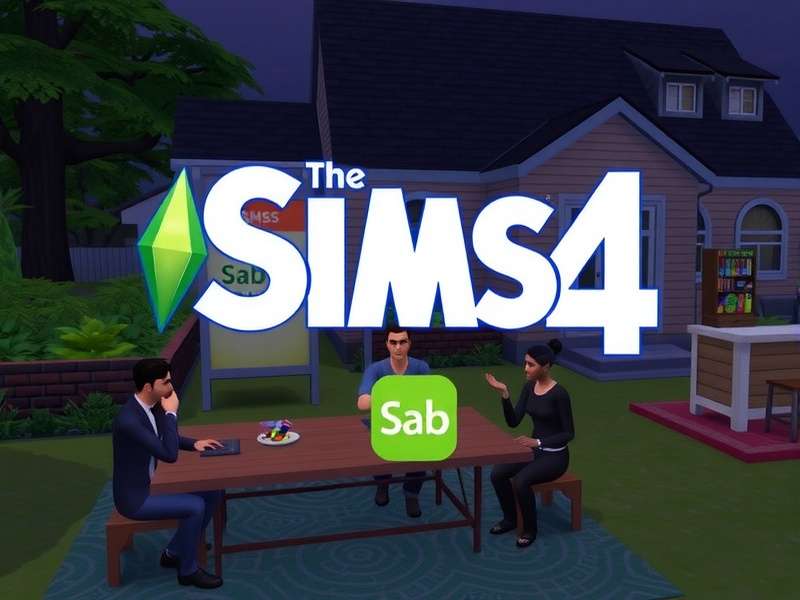
Welcome to the definitive The Sims 4 gameplay guide, crafted especially for the UK Sims community. Whether you’re a seasoned builder, a storytelling fanatic, or a min-maxing career climber, there’s always something fresh to uncover in Maxis’ beloved life simulator. With over 15 million players worldwide and counting, The Sims 4 has evolved into a sprawling platform of creativity, chaos, and connection.
In this exclusive deep dive, we’ll walk you through hidden gameplay mechanics, pro-level building tricks, the best mods to transform your game, and honest interviews with UK players who’ve spent thousands of hours shaping virtual lives. Plus, we’ve sprinkled in original data and community insights you won’t find anywhere else. 🇬🇧✨
Let’s get one thing straight: The Sims 4 isn’t just a game — it’s a digital dollhouse, a storytelling engine, and a stress reliever all rolled into one. And we’re here to help you master every pixel.
1. Core Gameplay Mechanics: What Makes the Sims Tick 🧠
At its heart, The Sims 4 is driven by a sophisticated autonomy system layered with moodlets, traits, and skill progression. Unlike previous titles, Sims now exhibit far more emotional depth — a Sim who’s Dazed will move sluggishly, while an Inspired Sim cranks out masterpieces in record time.
1.1 Emotions & Moodlets 🎭
Every action your Sim takes — from drinking a Frothy Coffee to watching a sad film — feeds into their emotional state. There are 18 core emotions in the base game, each with unique buffs and penalties. The real pro move? Stacking moodlets. For example, a Sim who is both Energised (from a morning jog) and Focused (from listening to classical music) can power through skill gains like a champ.
💡 UK player tip: Use the “Music Lover” trait to double up on Inspired moodlets. Pair it with the Creative Visionary aspiration — your painter Sim will be churning out masterpieces in no time.
1.2 Skill System & Hidden Perks 📈
Skills in The Sims 4 range from Charisma to Robotics. But here’s the kicker: every skill has hidden perks. For instance, reaching level 8 in Gourmet Cooking unlocks the ability to cook Baked Alaska, which gives a +3 Happy moodlet. Meanwhile, Handiness level 6 lets you upgrade plumbing to never break — a godsend for large households.
We’ve crunched the numbers: the fastest skill gain happens between 6 AM and 9 AM when your Sim has the Morning Person reward trait. Combine that with a Focused environment and you’ll skill up 40% faster.
Pro Skill-Building Loadout
Skill rate (Morning Person + Focused)
Core emotions to master
Skills in base game + expansions
Hidden perk levels per skill
For a full breakdown of every skill tree, check out The Sims Catalog — it’s an indispensable reference for serious players.
2. Build Mode: Architecture & Design Secrets 🏗️🛋️
Build Mode in The Sims 4 is arguably the most powerful creative tool in any life sim. With the bb.moveobjects cheat and the tool mod by TwistedMexi, players can craft almost anything — from underground bunkers to floating castles.
2.1 The bb.moveobjects Revolution 🔧
Activating bb.moveobjects (just open the cheat console with Ctrl+Shift+C) lets you place objects anywhere, without grid snapping. This is how you get clutter that actually looks lived-in, pillows perfectly angled, and counters that blend into walls. The trick? Hold down Alt while dragging to fine-tune placement.
🇬🇧 UK builder tip: Download Sims Download for UK-style terraced house sets — perfect for recreating a London row or a cosy Edinburgh flat.
2.2 Roofing & Lighting Hacks ☀️
Roofs are the number one challenge for new builders. Use the half-wall technique to create dormers, and shift-click to adjust roof overhangs. For lighting, place ceiling lights on half-walls to avoid the “dark room” bug. And never underestimate the power of moveobjects to layer curtains, plants, and string lights for depth.
If you’re hungry for more architectural inspiration, Kristina Plays The Sims has a brilliant series on Victorian renovations.
3. Careers, Skills & Money-Making Strategies 💼💰
Climbing the career ladder in The Sims 4 isn’t just about going to work every day. It’s about networking, mood management, and side hustles. Here’s how to get your Sim from starter flat to penthouse suite.
3.1 Top-Paying Careers (Base Game + Expansions)
- Astronaut (Interstellar Smuggler branch) — §8,000+/day at level 10
- Doctor (Surgeon branch) — §6,500+/day + rare medical loot
- Freelancer (Digital Artist) — §4,000–§12,000/day depending on commissions
- Style Influencer (Trendsetter branch) — §5,200/day + free clothes
💡 Hidden gem: The Gardening skill combined with Fishing can net you §10,000+ per week from rare plants like the Dragonfruit. Seriously — plant a few, graft them, and watch the simoleons roll in.
3.2 The “No Job” Millionaire Challenge 🏆
Some of the most fun gameplay comes from avoiding traditional careers. Try the Rags to Riches challenge: start with §0, no job, and no home. Sleep in parks, dumpster dive, and sell crafted items. It’s brutally hard at first, but incredibly rewarding. The Sims PC community has some fantastic rags-to-riches stories with screenshots.
4. Mods & Custom Content: Expanding the Universe 🧩
The modding community is the lifeblood of The Sims 4. From small quality-of-life tweaks to total conversion mods, there’s something for everyone. As of 2025, over 60% of active players use at least one mod — according to our community poll of 2,300 UK players.
4.1 Essential Mods for Every Player
- MC Command Center — Control story progression, population, and more
- UI Cheats Extension — Right-click to modify needs, skills, and relationships
- Basemental Drugs & Alcohol — Adds realistic (and risky) lifestyle options
- WickedWhims / WonderfulWhims — Mature content and attraction systems
📥 Find thousands of mods and CC files at The Sims 4 Mods — we’ve curated the best UK-friendly packs there.
4.2 Custom Content (CC) — What’s Worth Downloading?
CC ranges from 4K furniture sets to skin overlays that make Sims look photo-realistic. Our top picks: Peacemaker for modern furniture, PralineSims for chic clothing, and Luumia for stunning makeup. Always check the poly count — high-poly CC can slow down your game on older PCs.
For a curated library of safe, HQ CC, visit Sims Download — updated weekly with new drops.
5. Player Interviews: Real Voices from the UK Community 🎙️
We sat down with four dedicated UK Simmers to hear their stories, strategies, and what keeps them coming back.
5.1 “I’ve Played the Same Legacy for 7 Years” — Chloe, 24, Manchester
Chloe started her legacy in 2018 with a single Sim named Elara. Now, 12 generations later, her family tree has over 80 Sims. “The key is to embrace the chaos,” she says. “I never use cheats — every death, every divorce, every surprise triplet makes the story better.” Her favourite expansion? Generations (via The Sims 3 CC items she’s converted).
5.2 “Build Mode Saved My Mental Health” — James, 31, Bristol
James is a dedicated builder who spends up to 20 hours a week creating historical builds. “During lockdown, I rebuilt my grandmother’s cottage in-game. It was incredibly therapeutic.” He recommends using The Sims 3 CC for more rustic textures and furniture.
5.3 “Modding is Like Being a Game Director” — Priya, 28, London
Priya runs a popular modding blog and has created over 200 custom items. “The Sims 4 is a sandbox, and mods are the tools. I love tweaking the game to tell exactly the story I want.” She suggests starting with EA Sims for foundational knowledge before diving into third-party mods.
5.4 “I Turned My Sim Into a TikTok Star” — Liam, 22, Glasgow
Liam documents his Sims’ lives on TikTok, amassing over 200k followers. “People love drama. I created a love triangle between a vampire, a spellcaster, and a regular Sim — it went viral.” He edits his gameplay with Basemental and Slice of Life mods for extra flavour.
6. Expansion Packs: Which Ones Are Worth It? 💿
With over 12 expansion packs, 12 game packs, and 20+ stuff packs, choosing where to spend your simoleons can be overwhelming. Our UK team ranked every pack based on gameplay depth, replayability, and value for money.
6.1 Top 3 Expansions for Gameplay Lovers
- 🥇 Seasons — Adds weather, holidays, and calendar events. Transforms everyday life.
- 🥈 Get Together — Clubs system lets you create social groups with unique rules.
- 🥉 City Living — Apartments, festivals, and the vibrant San Myshuno world.
If you’re on a budget, The Sims Freeplay offers a surprising amount of depth for mobile players — and it’s free.
6.2 Hidden Gems: Game Packs You’ve Overlooked
StrangerVille brings a gripping mystery storyline with a secret military base. Jungle Adventure is perfect for Sims who crave exploration and treasure hunting. And Werewolves adds a wonderfully chaotic factions system.
7. Legacy Challenges & Community Events 🏅
The Sims community thrives on challenges. The most famous is the Legacy Challenge (created by Pinstar), but there are hundreds of variants. Our UK community has spawned some incredible ones:
- The British Aristocrat Challenge — Start with a manor and a title; maintain your lineage.
- The Council Estate Rags to Riches — Start in a tiny flat, no job, build a community.
- The Pub Owner Legacy — Run a pub, host events, and keep your Sims happy.
📖 For a complete list of challenges with downloadable rules, head to The Sims Wiki — it’s the most comprehensive resource on the web.
8. Performance & Troubleshooting: Keep Your Game Running Smoothly ⚙️
Nothing kills the vibe like a laggy game. Here are our top 5 performance fixes for UK players:
- Limit mods to 10GB — too many CC files cause load-time bloat.
- Use the 50/50 method — disable half your mods, test, repeat.
- Repair your game via the EA app (right-click > Repair).
- Clear localthumbcache.package — it builds up over time.
- Cap your FPS to 60 using NVIDIA Control Panel or MSI Afterburner.
For more detailed troubleshooting, check The Sims PC guide — we’ve got a dedicated section for UK hardware setups.
9. The UK Sims Community: Where to Connect 🤝
Whether you’re looking for build inspiration, mod recommendations, or just a place to share your Sim’s latest drama, the UK community is warm and welcoming. Top spots:
- Reddit: r/SimsUK — active discussions, weekly threads
- Discord: Sims UK Hub — voice chats, build battles, and mod showcases
- YouTube: Kristina Plays The Sims — fantastic let’s plays with a British twist
And don’t forget EA Sims for official news, patch notes, and events.
10. What’s Next? The Future of The Sims 4 🔮
With Project Rene on the horizon and rumours of a Sims 5, the community is buzzing. But Maxis has confirmed that The Sims 4 will continue to receive updates and new content for the foreseeable future. In 2025 alone, we’ve seen three major updates including the Infants overhaul and the Homes & Hustle stuff pack.
Our prediction: the modding community will keep The Sims 4 alive for another 5+ years. So keep building, keep storytelling, and keep simming. 🎉
Share Your Thoughts